T-Mobile · Map-based AI assistant
Keeping geography visible while users move into questions and next steps.
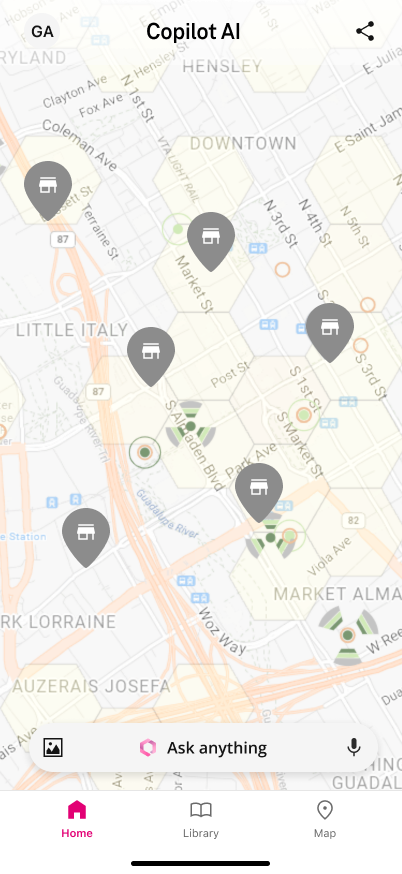
Original design screen; not a claim of launch impact.
As Lead Product Designer, I owned the interaction model, state system and light/dark screens. The existing19-slide deck places T-Mobile on slides1–8 and17–18, Vita on9–16, and a shared closing on19. Original screen artifacts and an optional presentation walkthrough are distinct from proposed platform validation.
I designed the mobile interaction model, states, and light/dark screens. Geography stays visible before a question.
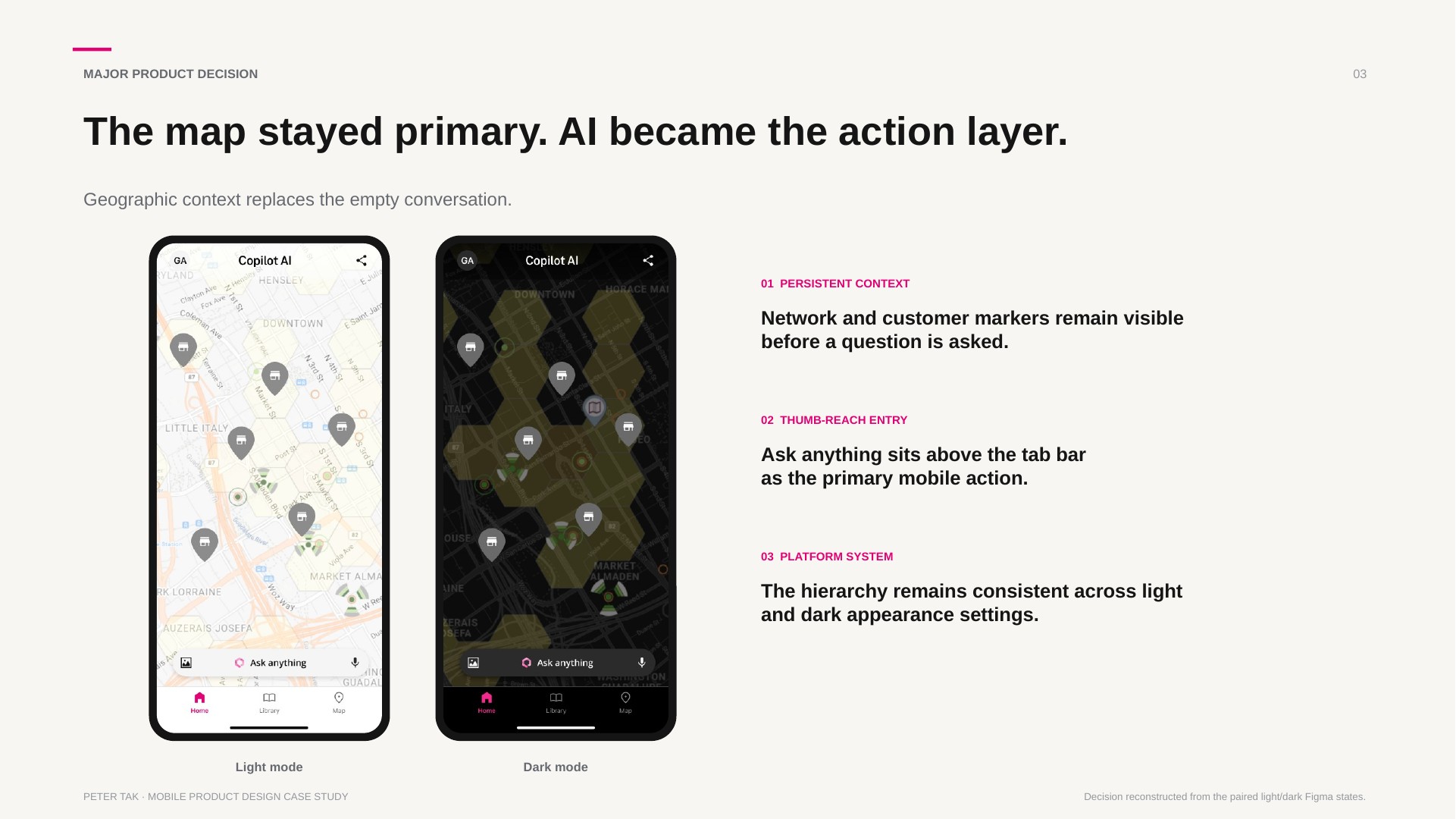
A blank conversation puts location inside the question. The chosen direction keeps the map as the workspace and the composer as the action layer.
No historical comparison test is recorded. Platform acceptance and a comparative task study remain proposed.
My role and the mobile task
As Lead Product Designer, I owned the mobile flows, interaction states, and light/dark screen system shown in the original deck. The delivered artifacts are the screen system and prototype.
The task connects geographic context, a question and the evidence used to answer it. The original screens keep the map present as the user asks, refines and follows up.
Keep geography visible while the question changes
The map is the work surface; the composer is the action layer. The original deck shows asking and refining the question, then reading the answer and continuing the same task.
This direction is visible in the source designs. A historical comparison with a blank-chat entry path is not recorded.
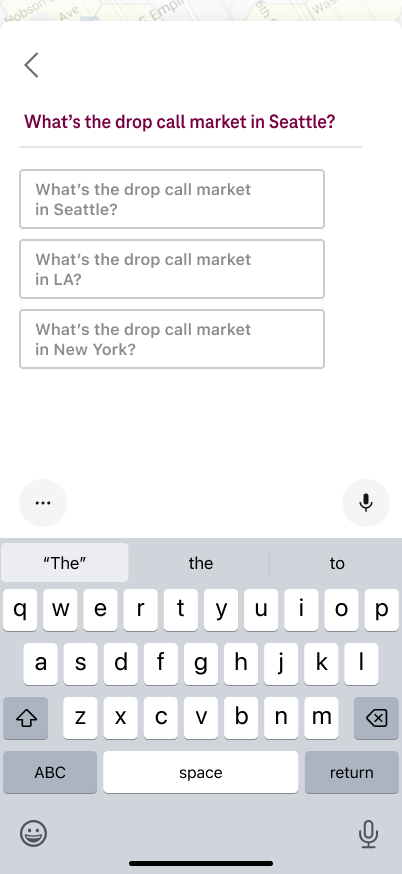
Preserve context through input and recovery
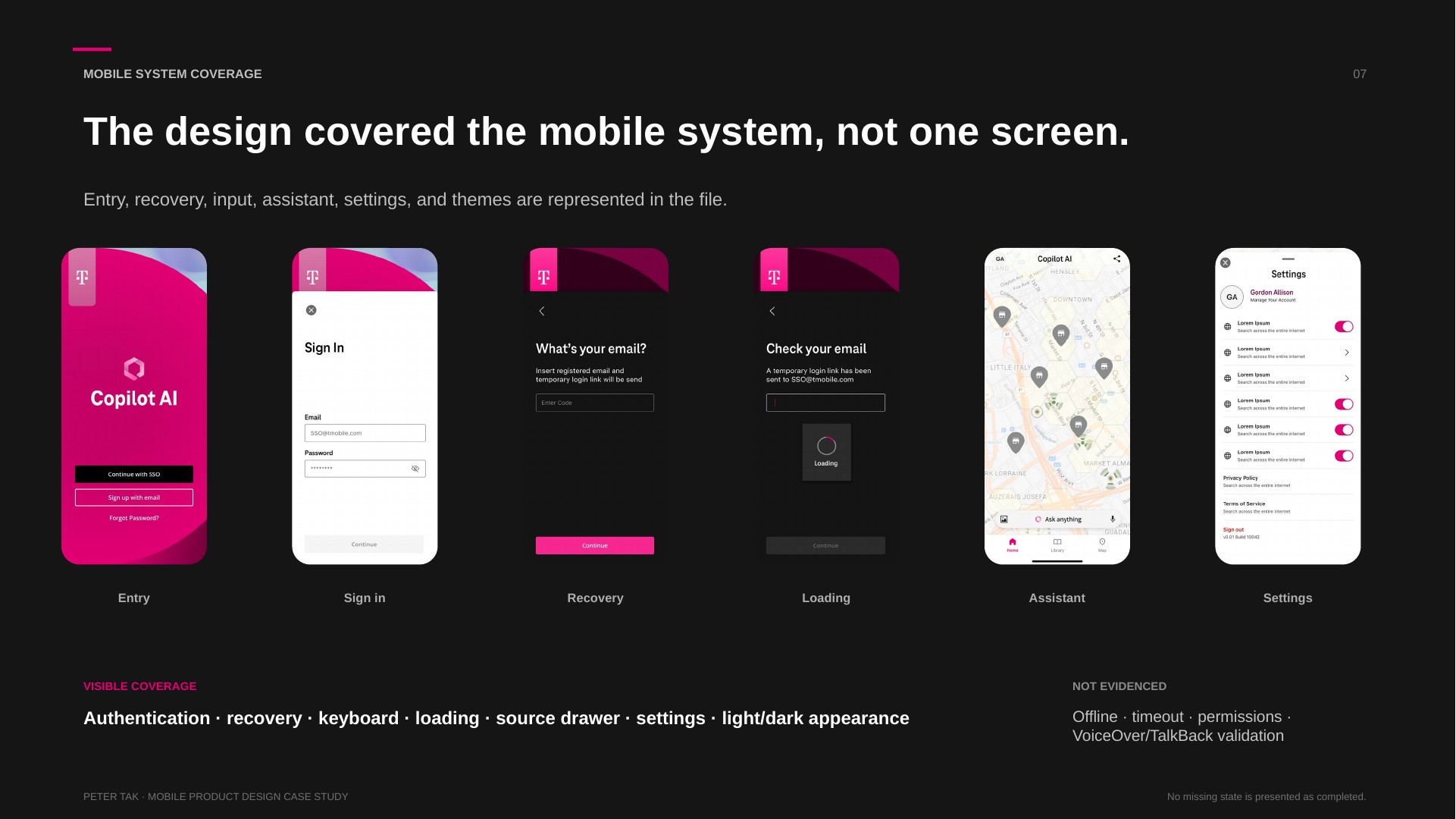
The deck includes keyboard-open and question-refinement states, source selection, follow-up, access recovery and waiting states. These are the original design artifacts.
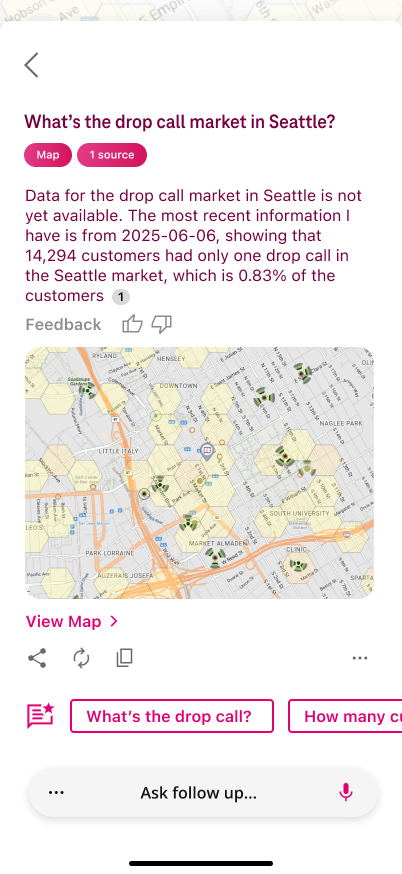
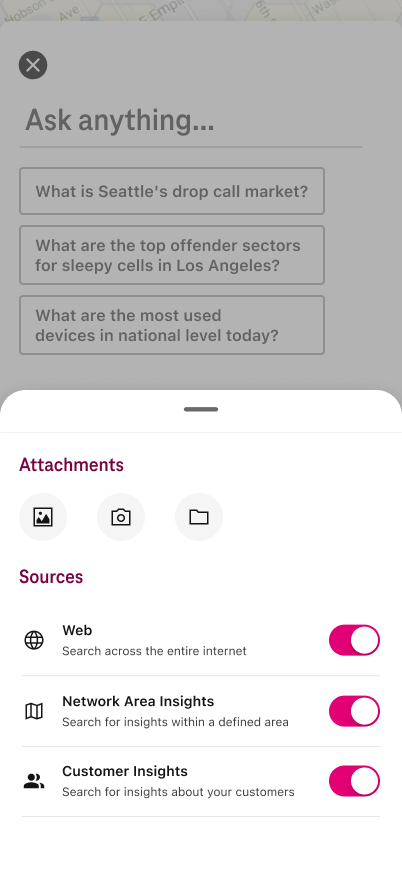
Web, Network Area Insights and Customer Insights remain distinct source choices. Source count and data date stay visible in the answer.
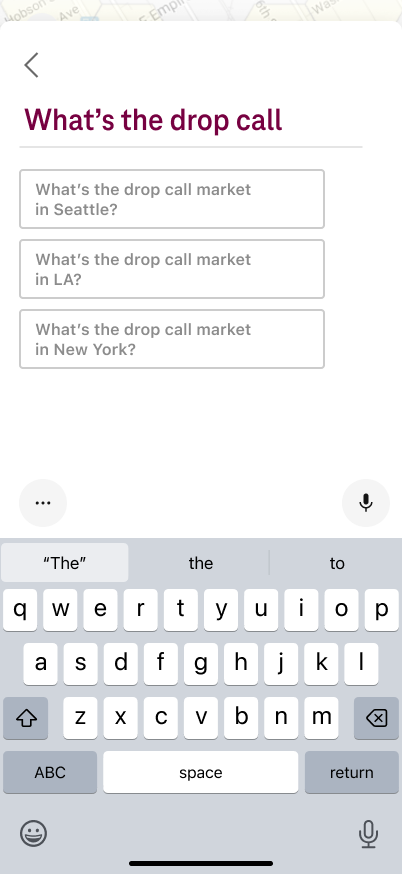
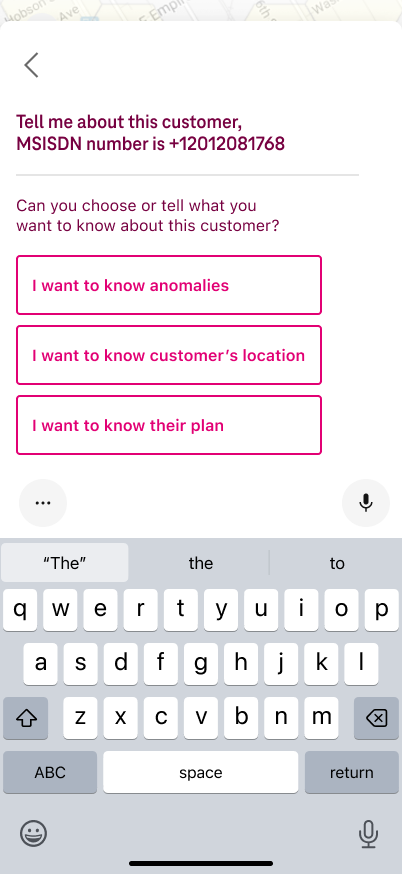
Ask → Clarify → Answer → Follow up
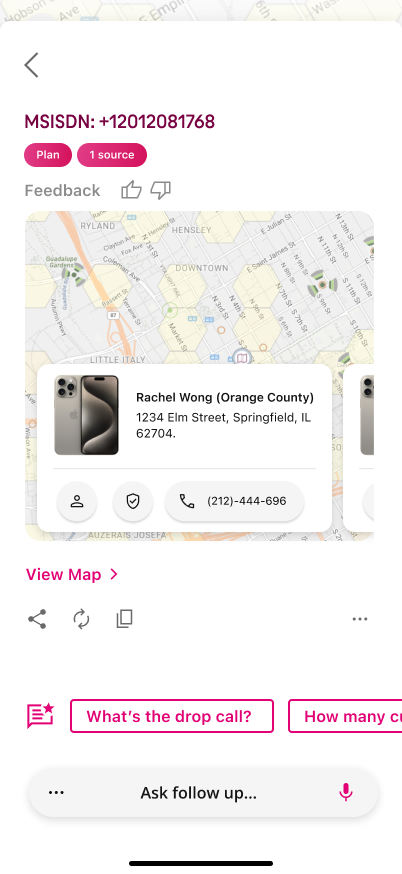
The map remains the workspace while a question is entered and refined. The answer brings map output and source evidence into the same task; follow-up continues the conversation without discarding geography.
Choose evidence before reviewing the answer
Web, Network Area Insights and Customer Insights remain independently selectable in the source drawer. Image, camera and file attachments extend the question without changing the core flow.
The answer retains source count and data date. This ties evidence selection to the result instead of making source choice a disconnected settings task.
Keep the workspace readable through theme and input changes
The source includes light/dark appearance, an iOS-style keyboard, suggestions, voice input and a home indicator. Input stays attached to the current map context.
Safe-area behavior, Android IME/Back, dismissal, focus return and large-text behavior remain proposed acceptance work; screenshots do not prove native implementation.
Recover access, wait for the link and find settings
The retained recovery slide shows access recovery, a waiting state and settings. These states give the user a visible next step when the main task is interrupted.
Connection-error and offline validation are not recorded. The original recovery/loading/settings board is retained below and linked in the deck; no new states are fabricated.
Custom source meaning, familiar task behavior
The source taxonomy keeps distinct data contexts independently selectable. Attachment choices, source count, data date, map output and feedback controls make the answer's basis visible.
The rationale is a reading of the existing design, not a measured comparison. The proposed study compares map-first entry with a blank conversation and examines source comprehension, draft loss and interruption recovery.
Follow the source sequence at your own pace
The optional walkthrough on slide18 steps through the actual screen sequence. Compact/medium/expanded presentation panes are a proposed way to review the artifacts, not a claim of a shipped adaptive product.
The complete19-slide deck includes both T-Mobile and Vita; slide19 is the shared closing. The separate21-image source archive preserves its own original page sequence.